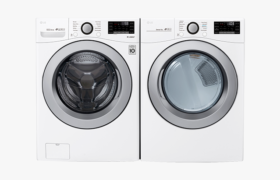
Whirlpool front load washing machines are designed for durability and efficiency, but like any appliance, they can sometimes display error codes to indicate a problem. These codes are helpful for diagnosing specific issues, allowing you to quickly identify and resolve the root cause without needing to call a technician right away. While error codes vary between models, common ones often relate to issues like drainage problems, spin cycle failures, or door lock malfunctions.
One of the most common error codes you may encounter is the “F01” or “F02”, which typically indicates a communication issue between the control board and the motor control unit. This can be caused by faulty wiring or a malfunctioning control board. To fix this, you can try resetting the machine by unplugging it for a few minutes, then reconnecting it and running a short cycle. If the error persists, you may need to check the wiring or consult a technician to inspect the control board.
Another frequent issue is the “F21” code, which signals a drainage problem. This may be caused by a clogged drain pump or hose. To resolve this, first check the drain filter and ensure it’s clear of any debris. If the filter is clean but the error continues, inspect the drain hose for kinks or blockages. If everything looks good and the machine still won’t drain, the pump itself may need to be replaced.
The “LF” or “LO” error code often means a problem with the washer’s water supply. This could indicate a blocked or partially closed water valve, or a malfunction in the water inlet valve itself. Check the hoses for any bends or blockages, and ensure that the water supply is turned on fully. If this doesn’t fix the issue, it may be time to replace the water inlet valve or seek professional help. Understanding these error codes can save time and frustration, making it easier to keep your Whirlpool washer running smoothly.
| Error Code | Error | Possible Solution |
| LOC or LC | Control Lock has been activated | Touch the Control Lock button, or (on older models) determine which button activates control lock from your Owner’s Manual. Some models require you to press and hold the button. |
| dET | Detergent cartridge not detected in the dispenser. | This is on select models. If you are using single-load doses of detergent, ignore this message. Ensure the dispenser cartridge is inserted correctly and the dispenser drawer is shut completely. |
| Int | The cycle was paused or canceled. | The washer may take 20 to 30 minutes to stop spinning and drain, and will display this error code during that time. To remove the code, press pause or cancel button twice and the power button once. If the code is still displayed, unplug the washer or disconnect the power for one minute. |
| rL or F34 | Items were detected in the washer during the Clean Washer cycle. | Remove items from the drum and restart the Clean Washer cycle. |
| Sud or Sd | There are too many suds in the washing machine. | The washer will not be able to spin out water with the excess suds. When “Sud” or “Sd” is displayed, the washer automatically extends the rinse time to remove the excess suds. During this time, the washer pauses the tumbling and adds water for additional rinsing. This pause allows the bubbles in the suds to break. This pause and rinsing are necessary and may occur several times to eliminate the suds. Make sure you are using HE or High Efficiency detergent. Find more information on HE Detergent use in your Washer. If you used “no splash” or “easy pour” liquid chlorine bleach, you could also have too many suds. This type of liquid chlorine bleach contains a thickening agent that may create excess suds in washers. If this is the case, run the washer with regular liquid bleach products. The Sud or Sd code may also be the result of a restricted drain hose or standpipe (drainpipe). Make sure that the drain hose is not kinked or clogged. Find more information on How to Install the Drain Hose. |
| F5 E2 | The door is not locking properly. | Check that there are no items blocking the door and it is closing completely. Press the Pause or Cancel button twice and the Power button once to clear the code. |
| F7 E1 | Indicates a motor speed sensing error, | The motor can not achieve the correct speed for the cycle selection. Check that: All the shipping bolts have been removed The washer has not been overloaded Press the Pause or Cancel button twice and the Power button once to clear the code. |
| F8 E1 or LO FL | The washer is sensing a low flow of water. | Check that: The household water supply is turned on and both the cold and the hot water faucets or valves are fully open. The water inlet hoses are not kinked (learn more about How to check your Fill Hoses if your Washer is not Filling) There are no anti-flood hoses and controls in the water line connected to the washer (learn more about Should I use Flood Safe Devices on my Front Load Washer Press the Pause or Cancel button twice and the Power button once to clear the code. |
| F8 E2 | Indicates there is a problem with the Dispenser System | This is on select models. Verify detergent drawer or detergent cartridge is not clogged with detergent. Find more information on How do I clean my washer dispensers? |
| F9 E1 | Indicates that drain times are longer than expected, typically over eight (8) minutes. | Make sure the drain hose is not kinked or clogged. Use the U-shaped drain hose form on the drain hose. The standpipe (drainpipe) height requirements are 96″ (244 cm) maximum and 39″ (99 cm) minimum. Find more information on How to Install the Drain Hose. Excessive suds may also cause delays in draining. Make sure you are using HE detergent. |
| Other F# E# code | Indicates other error | Unplug the washer or disconnect the power for one minute and reconnect it again. Reselect the cycle and press Start. If the code persists, Contact Us or Schedule Service Online so a qualified technician can diagnose the washer. |